
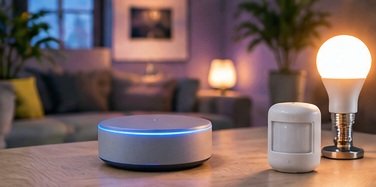
A useful smart home starts with a problem worth solving: lighting that is easier to control, a reminder when a door is left open or a way to reduce unnecessary heating. Buying a collection of unrelated gadgets often creates more complexity than convenience. Start small, establish a reliable network and choose devices that work together without sacrificing essential manual controls.
Define the first use cases
Write down two or three routines you want to improve. For example, you may want a lamp to turn on at sunset, a notification when a water sensor detects a leak, or a schedule for a compatible thermostat. Decide what should happen if the internet fails or the controller is unavailable. Keep manual switches and safety systems accessible. A smart notification is not a substitute for legally required smoke alarms, carbon monoxide alarms or other independent safety equipment.
Establish a reliable network and ecosystem
Check WiFi coverage where devices will operate and confirm their supported network requirements. Some use WiFi, others use Zigbee, Thread or another protocol through a compatible hub. Matter is intended to improve interoperability, but support varies by device category, controller and feature. Verify specific compatibility rather than assuming that one logo guarantees every function. Consider whether the system can run key routines locally and what depends on a vendor cloud service. Choose a controller that supports your household's phones and access needs.
Install a small pilot system
Begin with a compatible plug-in lamp or battery-powered sensor that does not require electrical modifications. Follow the manufacturer's setup instructions, update firmware and use clear names that identify the room and device. Create one simple routine and test it at different times. For smart plugs, verify load rating and the suitability of the connected appliance; do not use them to control equipment that requires supervised operation or special safety controls. Fixed wiring, electrical panels and heating controls should be installed by appropriately qualified professionals where required.
Protect privacy and access
Use unique account credentials, multi-factor authentication where available and supported firmware updates. Review the data collected by cameras, microphones and cloud services before installation. Avoid placing cameras in private areas, and respect household members' consent and applicable rules. A separate network for connected devices may reduce some risks when configured correctly, although network isolation can affect local discovery. Remove access for former users, and check that essential functions remain available during an account or network outage.
Expand only after testing
After a week of reliable use, add devices that solve a specific problem. Document their location, model, power source and update method. For automation, specify a trigger, conditions and an action; include manual overrides and limits on repeated notifications. A leak sensor can send an alert, but a human should know how to respond safely. Track actual energy use before claiming savings from automated schedules. A well-designed system remains usable when a routine fails, a battery runs flat or a device needs replacement.
Frequently asked questions
Do I need a hub? Some devices connect directly to WiFi; others require a compatible controller or bridge. Check each product's requirements.
Can I mix brands? Often, but compatibility must be checked for the exact features you need.
Will smart devices save money? They can help reduce unnecessary use, but savings depend on the equipment, routines and previous behavior.
Sources and further reading
https://csa-iot.org/all-solutions/matter/
https://www.cisa.gov/secure-our-world